Cecelia Dongarra
Project 01 / Mobile Product[ Close ]
Scroll to explore
Client
PlayoffBlitz
Freelance
Role
Mobile UI
Prototyping
Year
2025
Project info

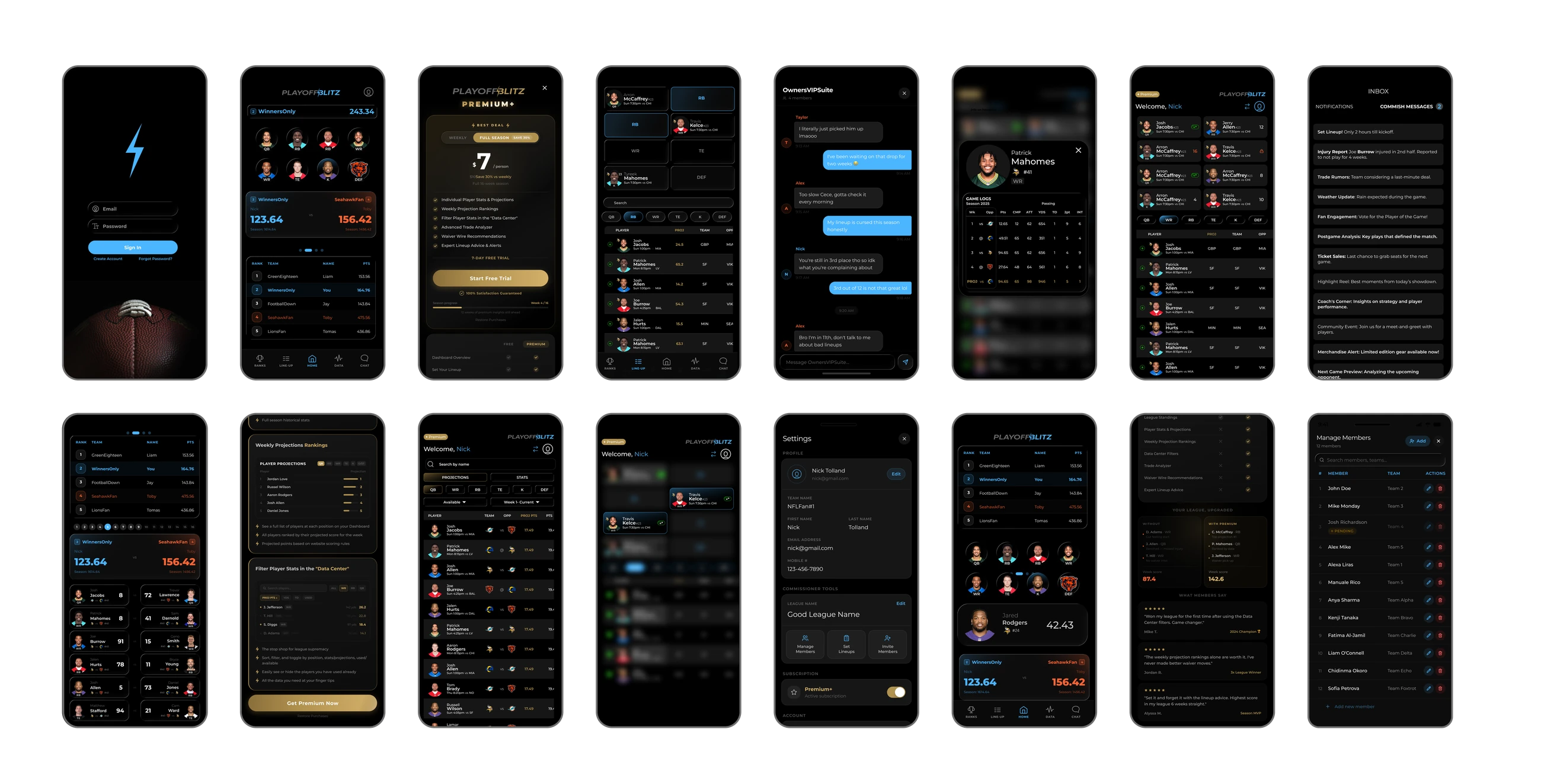
A fantasy football playoff app designed to extend postseason engagement. I designed the mobile UI to match the existing PlayoffBlitz website identity, then built a high-fidelity, AI-assisted Figma Make prototype demonstrating real flows, navigating stats and managing a lineup.

PlayoffBlitz showcase
Summary

Mission

I love taking something dense and making it feel effortless, and PlayoffBlitz was exactly that kind of challenge. The goal was to carry a data-heavy web product onto mobile in a way that stays fast and focused, then prove it with a prototype you can actually use.

My Contributions

I designed the whole mobile experience end to end, matching the existing PlayoffBlitz identity, shaping the app around the three things users do most. I used Figma Make as a prototyping partner to bring the interactions to life, lineup swaps, selection states, and a scrollable stats table, refining every detail by hand until it felt obvious.

Client

PlayoffBlitz

Services

  • UI / UX Design
  • Mobile UI Design
  • Interaction Design & Prototyping
  • Design Systems
  • AI-assisted prototyping (Figma Make)

My Role

Freelance Product & UI Designer

Highlights
3

Core sections designed, Set Lineup, Data Center, Standings

20+

Screens designed across the app

1

Reusable, scalable component system

3

Live interactive prototypes built

Figma Make

AI-assisted prototyping workflow

Unified

One visual system across web and app

01 — General explanation

Carrying a data-heavy web product onto a small screen.

The website holds a lot of information, so the core challenge was carrying that depth onto mobile without clutter, keeping dense data readable, and key actions one tap away.

The goal

Create a mobile app that feels like a natural extension of the PlayoffBlitz web experience, clear navigation, readable data displays, and quick fantasy actions users can complete without friction.

Constraints

Audience: fantasy football players & NFL fans. Inputs: the existing website, common sports/fantasy patterns, and usability principles from Steve Krug's Don't Make Me Think.

02 — Information architecture

Mapping the flow before a single screen.

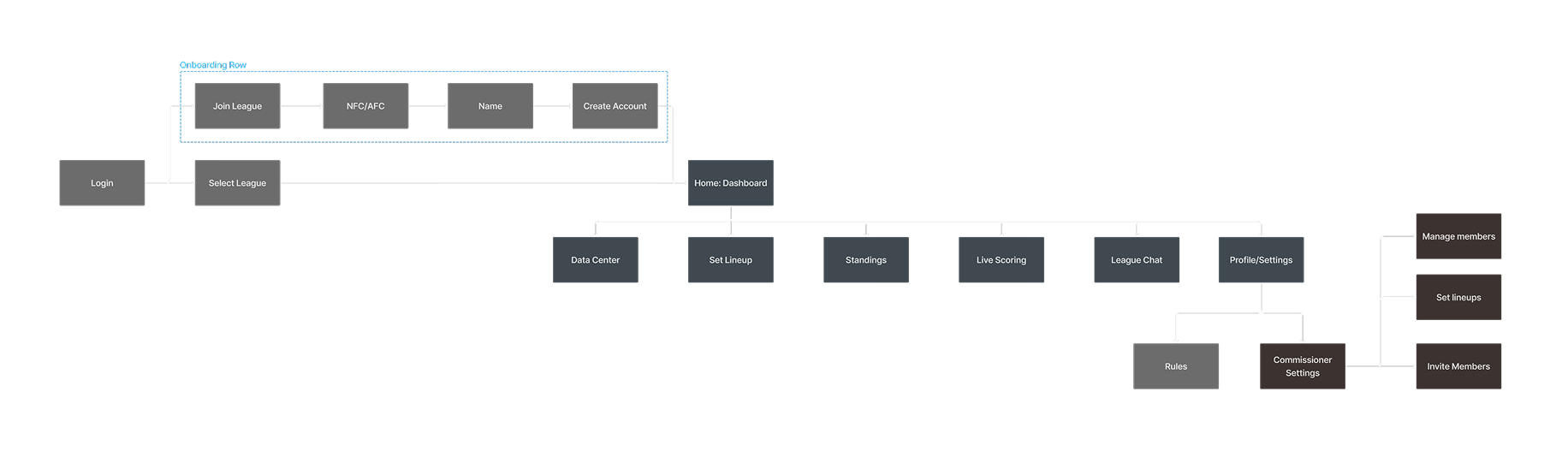
I started by charting how a user moves through the app, the three core sections, and the actions inside each. Mapping the structure first kept navigation shallow and made sure the most-repeated tasks stayed within a tap or two.

App flow chart
03 — Wireframes

Low-fidelity first, to pressure-test structure.

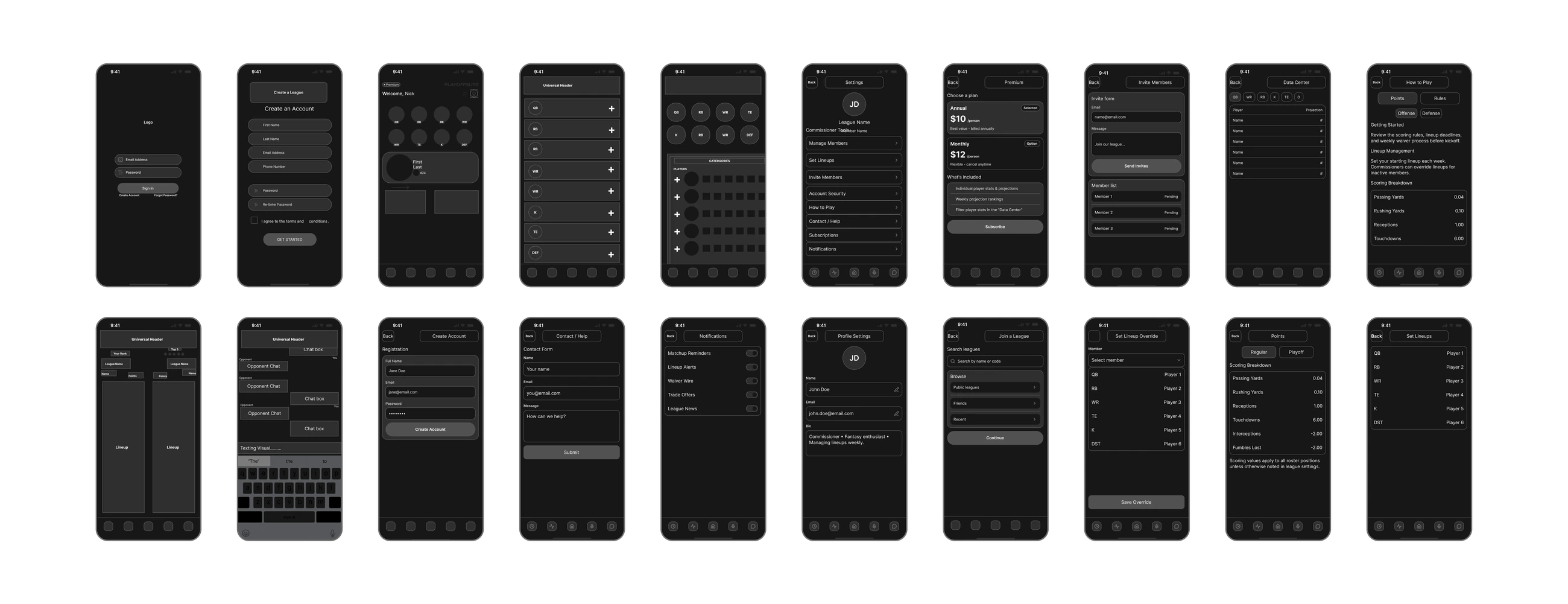
Before any visual polish, I wireframed each screen to test hierarchy, density, and the repeated patterns, stat rows, player cards, list sections, that would carry across the app. Working in low fidelity let me resolve layout and navigation problems early.

Wireframe set
04 — Three core sections · prototyping video

Structured around how fantasy users actually think.

Fantasy users bounce between the same repeat tasks, so I organized the app around three sections rather than a deep menu tree, each built for a specific mindset. Here's the prototype in motion, showing all three at once.

Set LineupFast add, remove, and swap decisions while keeping the lineup visible. Position filters help narrow choices without losing context.
Data CenterA scan-first stats and projections experience built for comparison, with search and filtering between projections and stats.
Standings & Live ScoringA snapshot of rankings and opponent matchup scoring, designed for quick check-ins during live games.
05 — Prototyping with Figma Make

I treated AI like a prototyping partner — prompt, review, refine.

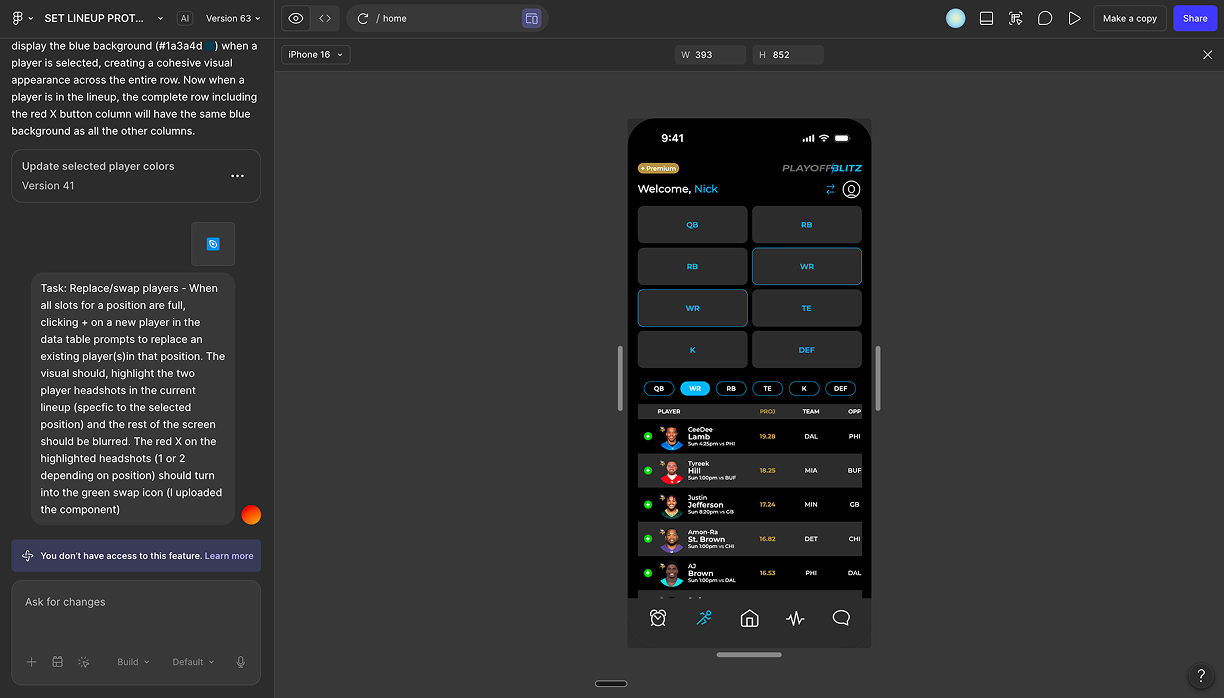
After the UI was established, I used Figma Make to accelerate app behavior and build a high-fidelity prototype. Instead of generic click-throughs, I prompted specific behaviors one at a time and refined each to match expected mobile patterns.

Key behaviors I prompted & refined

Make didn't just speed up building interactions, it surfaced "next step" ideas that improved usability: preventing duplicate selections, clarifying lineup-completion feedback, and finding missing functions worth adding.

Figma Make workflow
06 — Interactive prototypes

Try it out.

The prototype is genuinely interactive, click through the real flows below, right here on the page.

Data Center
Open full screen ↗
07 — UI system

A scalable component system, built to stay consistent.

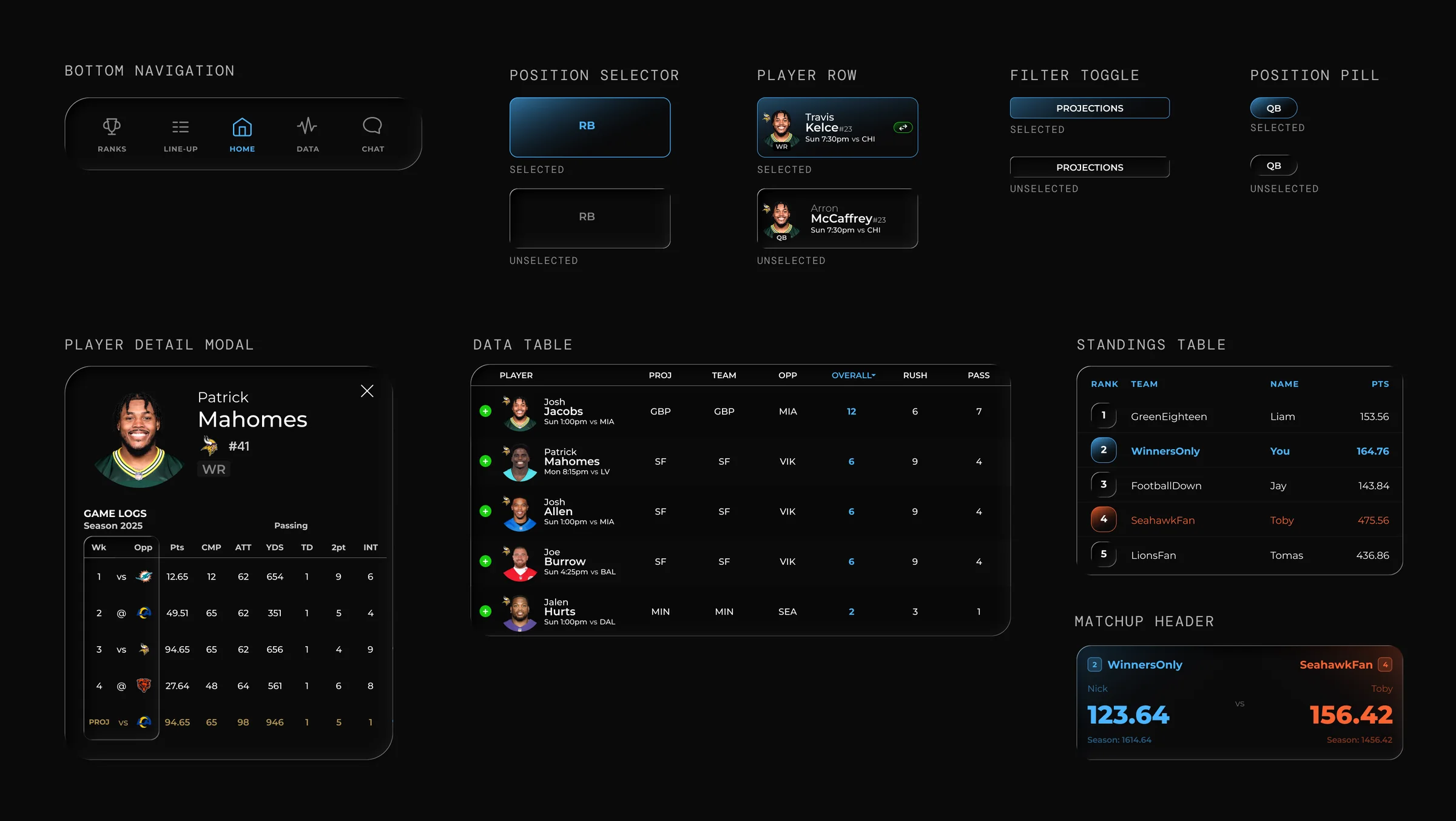
To keep the UI consistent across many screens, I built a small component system that could scale, navigation, headers and back behavior, player cards and stat rows, buttons and action states, alerts, modals, and confirmations, with type and spacing rules for data tables and lists.

Dark, high-contrast UI with one bright accentSports data is dense — high contrast improves readability and the accent guides attention to key actions and active states.
Repeatable patterns for dataConsistent player rows and stat layouts make dense screens scannable and easy to extend.
UI component board
08 — Branding & matching website

Aligned to the PlayoffBlitz brand and web product.

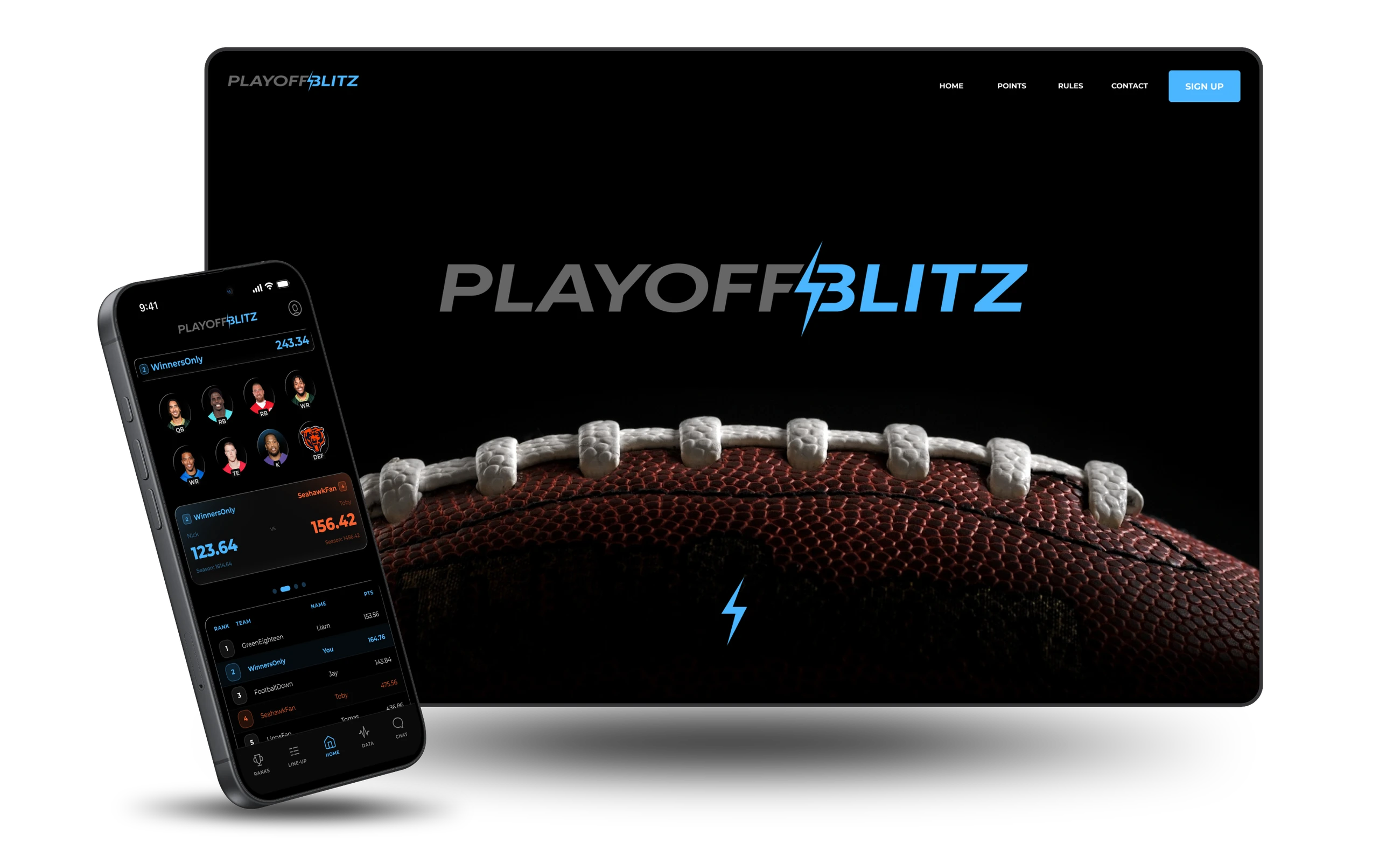
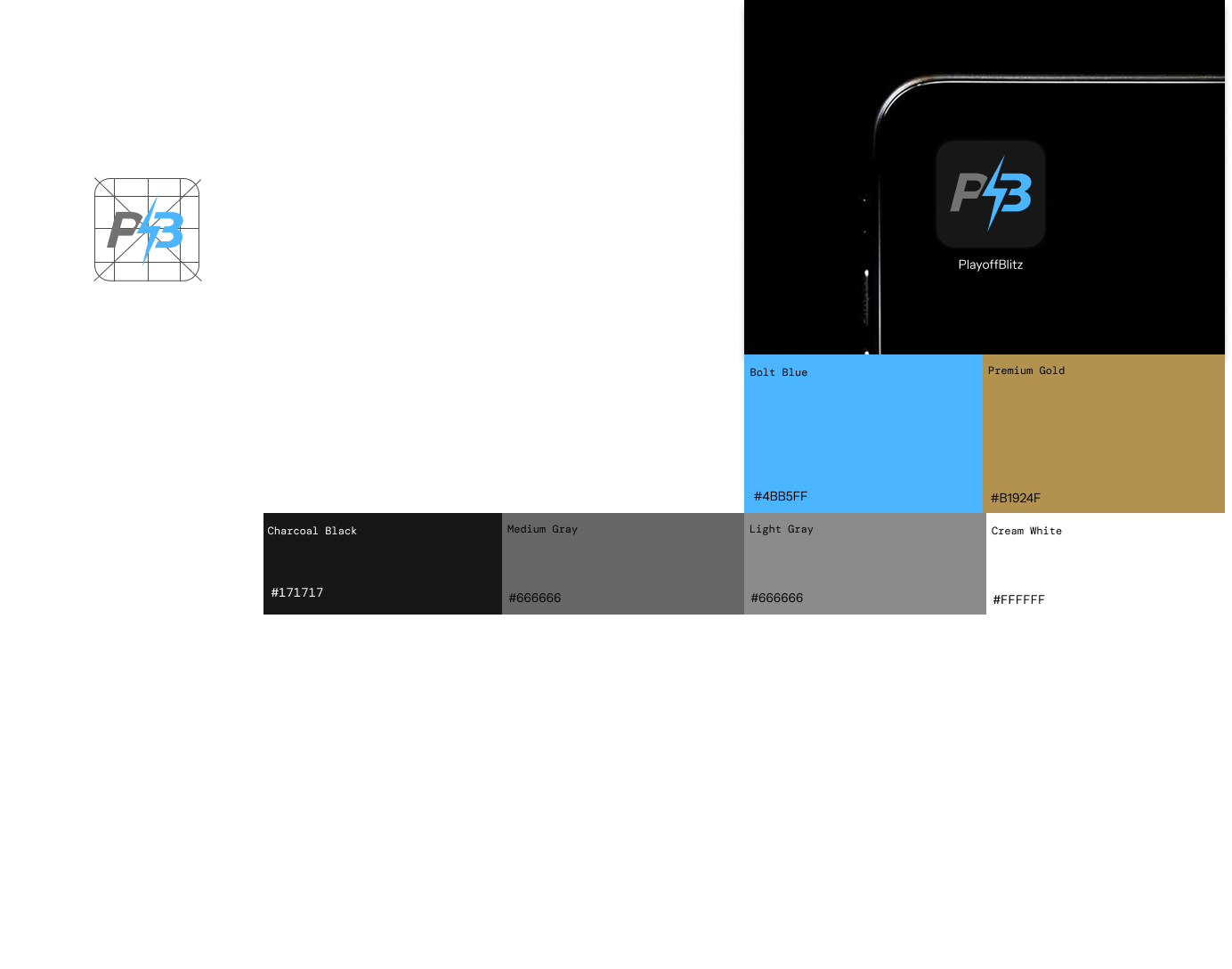
The app was designed to feel like one product with the website, matching typography tone, color and contrast, spacing rhythm, and overall interface tone. The same visual system carries across the marketing site, the logged-in product, and the app.

Matching website
Brand system — color and type
09 — Outcome & lessons learned

A prototype that communicates the whole experience clearly.

The final prototype shows how the mobile app extends the existing website into a focused playoff fantasy product. A consistent visual system plus realistic interaction behavior makes the concept easy to understand, present, and evolve.

What I learned

If this continued